A canvas for building whatever the work needs.
The work you cannot buy software for. Place a block, connect it to the next one, and run it. You keep what you built. No code.
Request a Demo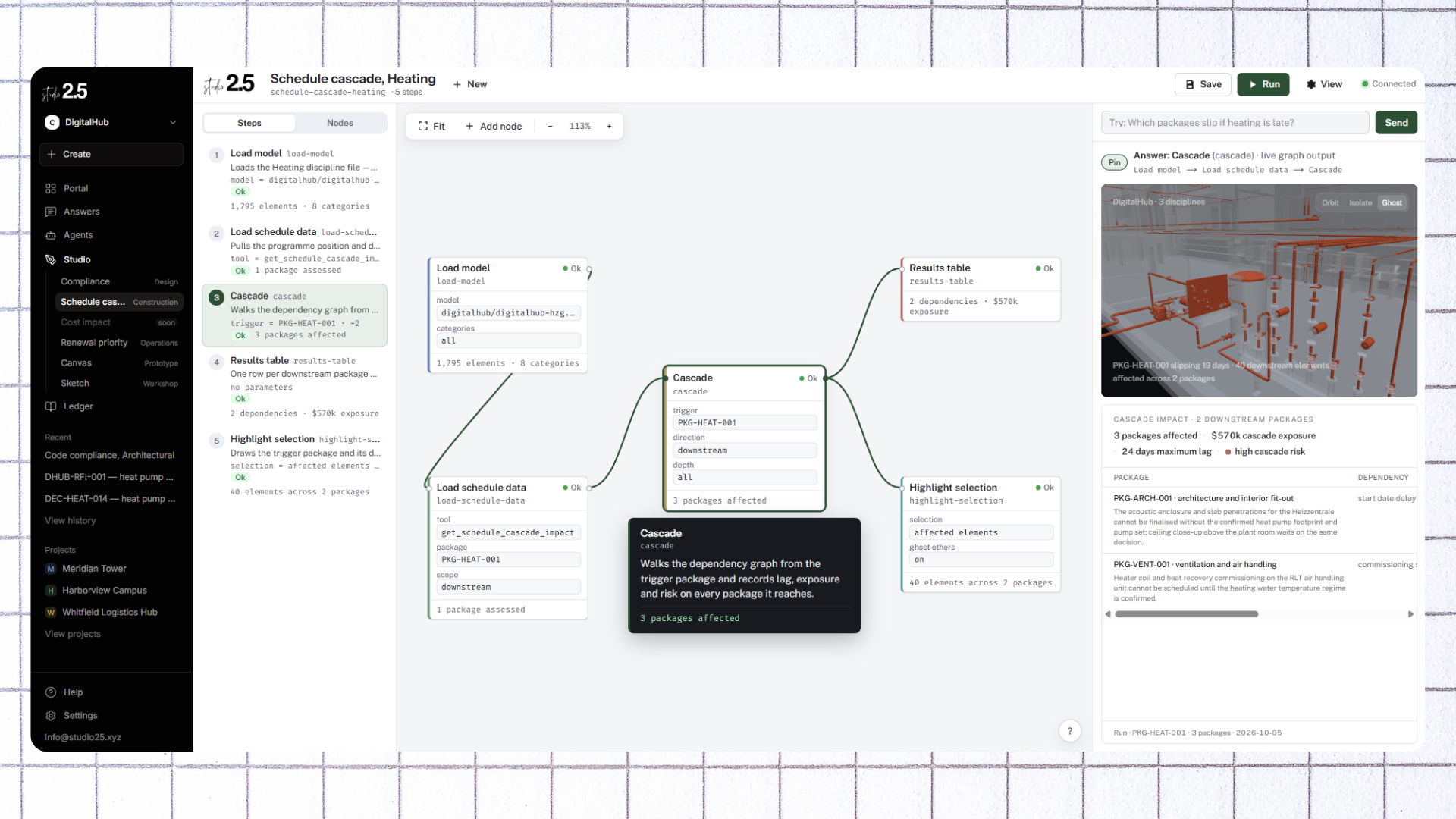
Place, connect, run.
Place a block
Each block does one thing. Pull a set of elements, run a check, write a result. Pick the ones the job needs.
Connect it to the next one
What comes out of one block goes into the next. The graph is the method, visible on the canvas instead of buried in a script.
Run it
It runs against your live record rather than a copy. Change a block and run it again, as many times as it takes.
What a block can reach.
Your record
Every block that touches your model reaches the real thing. Elements, quantities, parameters, cost, condition, whatever is attached to what you are asking about.
Your systems
Blocks that reach the tools you already run, and blocks that call whatever else you need through a connector, so the graph is not limited to what we shipped.
Agents and outputs
Put an agent in the middle of a graph and let it do the part that needs judgement. Send the result out as a report, a table, a model, or into another system.
Model
Blocks that load and select from the model.
- Load model
- Filter by level
- Filter by package
- Filter by type
Data
Blocks that bring in cost, schedule, condition and similar.
- Load cost data
- Load schedule data
- Load condition data
Query
Blocks that filter and join.
- Query
- Join
- Union
Compute
Blocks that calculate and attach.
- Attach column
- Aggregate
- Calculate
MCP tools
Blocks that reach the systems the organization already runs.
- Read change exposure
- Read obligations
- Read condition
- Read delivery performance
Visual
Blocks that colour and highlight.
- Colour by
- Highlight selection
- Tag selection
Output
Blocks that produce tables and files.
- Results table
- Export CSV
- Publish as agent
Keep what you build.
It runs again
A graph you built for one project runs on the next one. The method is what you keep, more than the answer it gave you once.
It becomes an agent
Set a graph on a schedule or hand it to someone who was not there when you built it. It runs the same way every time.
It goes into the record
What the graph read and what it produced is kept with everything else. Anyone can see how the number was arrived at.
Open underneath, yours on top.
Yours
Your data, on your storage. The specific blocks you build and the judgement encoded in how they run. That part is specific to you, so it is not open.
- Your data, on your storage
- The blocks you build
- What they reach
- Judgement in how they run
Open
The schema, the record's file format, the Flow engine, the MCP server, the software underneath the canvas. MIT licensed and readable without us.
- Schema
- Record file format
- Flow engine
- MCP server
- Canvas software